rpgsync
A Python twin of your RPG Maker 2000/2003 game. rpgsync turns the events of your game into readable Python scripts, and keeps both sides in sync while you work.
Get started on PyPI Source code on GitHub
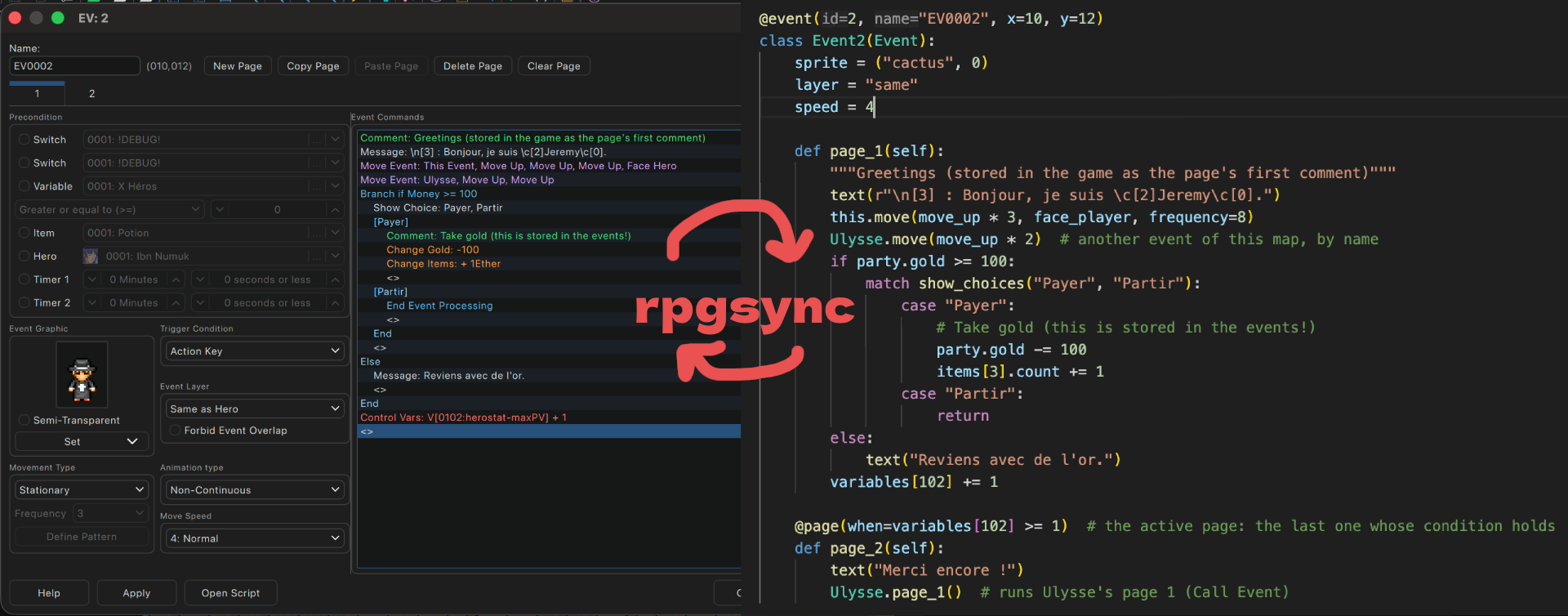
Why I made it
I have plenty of old RPG Maker 2000 and 2003 game projects, started 15 years ago, that I’d love to take out of the boxes and finally finish.
The problem: in 2026, RPG Maker 2003 feels really dated. With the two hours of free time I have each week, I want to do something better than clicking buttons to insert ugly, buggy event code.
So I made rpgsync. It creates a Python twin of your event code, synced in real time. Enjoy 20 years of progress in developer tools on your RPG Maker game!
What you can do with it
- Your events and database in your code editor: indexed, typed, documented and linted, with autocompletion, search and git. The code is very pythonic, and it supports many patches and plugins.
- Change dialogs easily: typos, spelling, translation, text analysis…
- Automated tests: missing or unused resources, dialogs too long for the screen, logic tests to avoid soft locks, unreachable events, teleports outside a map…
- Balancing: rpgsync exports your database (heroes’ and monsters’ stats, common events, battle events…).
- Vibe coding: open your game in Claude Code or Codex, ask it to run rpgsync, and let the AI finish the menus of your custom menu or battle system, analyze your dialogs, find balancing problems, or clean up your spaghetti code in bulk.
What it looks like
@event(10, "Jeremy", x=15, y=38)
class Jeremy(Event):
    sprite = ("heroes1", 1)  # the settings of every page
    layer = "same"

    def page_1(self):
        """Greetings (stored in the game as the page's first comment)"""
        text(r"\n[3] : Bonjour, je suis \c[2]Jeremy\c[0].")
        this.move(move_up * 3, face_player, frequency=8)
        Ulysse.move(move_up * 2)  # another event of this map, by name
        if party.gold >= 100:
            match show_choices("Payer", "Partir"):
                case "Payer":
                    party.gold -= 100
                    items[3].count += 1
                case "Partir":
                    return
        else:
            text("Reviens avec de l'or.")
        variables[102] += 1

    @page(when=variables[102] >= 1)  # the active page: the last one whose condition holds
    def page_2(self):
        text("Merci encore !")
        Ulysse.page_1()  # runs Ulysse's page 1 (Call Event)
Every command, option and value is typed and documented. The database, the map tree, the variable names and the battle events are in Python too. Learn more about the scripts.
Demo: a Doom-like game in RPG Maker 2003
I vibe-made an (ugly) Doom clone in RPG Maker 2003 with one prompt. Play it online on itch.io.
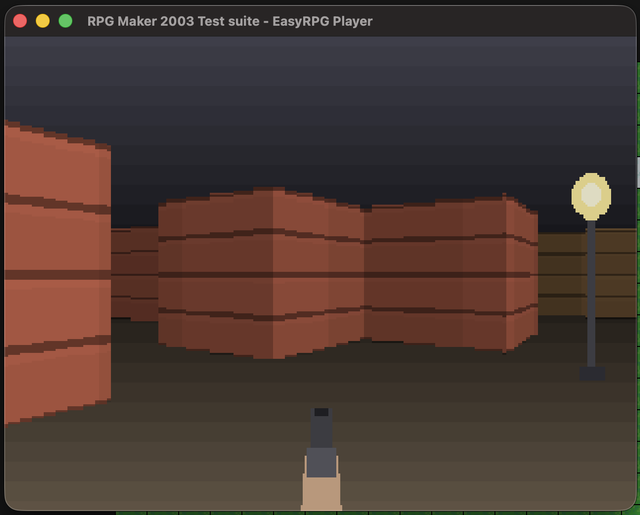
There’s no DynRPG Mode 7 here. The walls are very long, very thin vertical pictures moved across the screen: each 240-pixel-high block of the picture holds a wall of a different height.
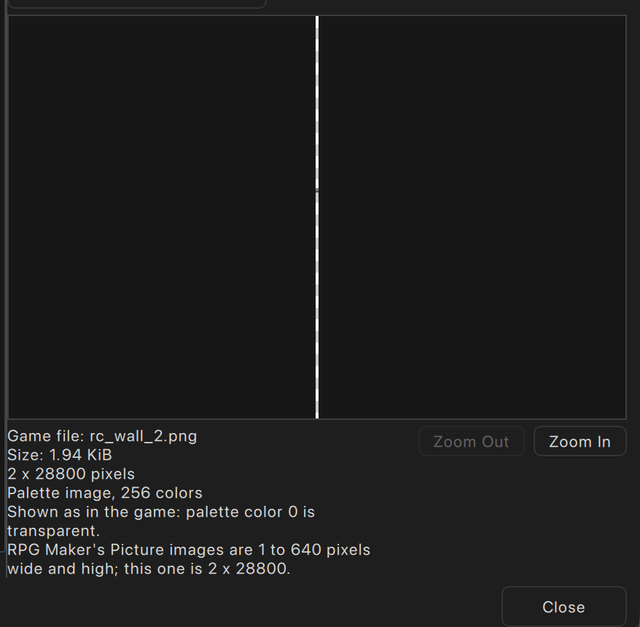
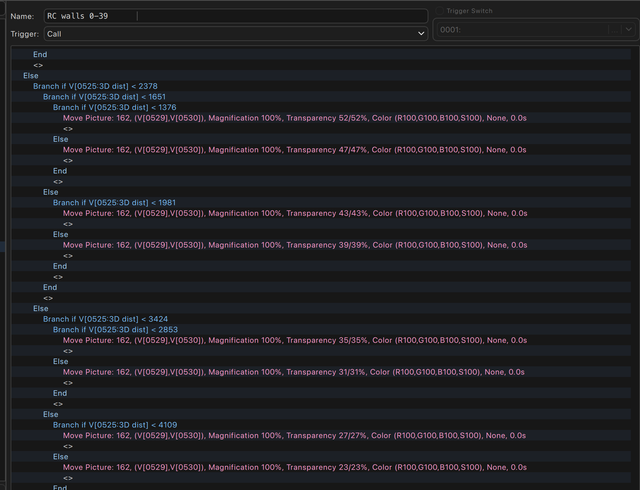
During the game, about a hundred of them are shown side by side to fake the 3D effect. A very simple raycasting picks the height of each wall slice, and changes its color with its distance from the hero. The AI also split the code into several parallel events for speed, and used Move Picture rather than Show Picture to keep the whole picture in memory instead of loading a new one every frame.
These are 1990s video game tricks. They would be hell to do by hand in RPG Maker, with integers only, clicking buttons, and hundreds of picture IDs. With the AI writing the Python for you, it’s simple. The same kind of trick powered Joke’s Vaisseau 3D demo, made entirely by hand.
Works with
- RPG Maker 2000 and 2003, both the old versions (1.08) and the Steam version (1.12a). It’s tested on EasyRPG’s test suites and on complete games.
- Patches: DynRPG, Maniac Patch, EasyRPG Player commands, Power Mode 2003, Ineluki Key Patch… Unknown commands are kept as raw.
- The EasyRPG Editor works best with it: edit the Python code and see the changes live in the editor. It stays open while rpgsync runs, and merges your Python edits with the changes you make in it.
- The original RPG Maker editor works too, but keep it closed while you edit the Python files, or its next save overwrites them.
Get started
- Install uv.
- Run
uvx rpgsyncin your game folder, the one withRPG_RT.ldb. It writes your maps, database and common events as Python scripts in aScriptsfolder, then keeps the game and the scripts in sync.
rpgsync is built not to break your project: invalid scripts are never written and every overwritten file is backed up. But one more backup never hurts.
Full instructions: github.com/oulianov/rpgsync
What it doesn’t do
- mapping
- graphics
- a story that holds up
- playtesting (yes, you still have to play your game yourself)
The result
Thanks to rpgsync, I finished my old games. I found lots of programming and balancing bugs, and shared a better, playable version on itch.io.
Today I can’t imagine programming systems in the RPG Maker 2003 interface anymore. Maybe just to write dialogs, because that’s the most fun part for me.