EasyRPG Editor
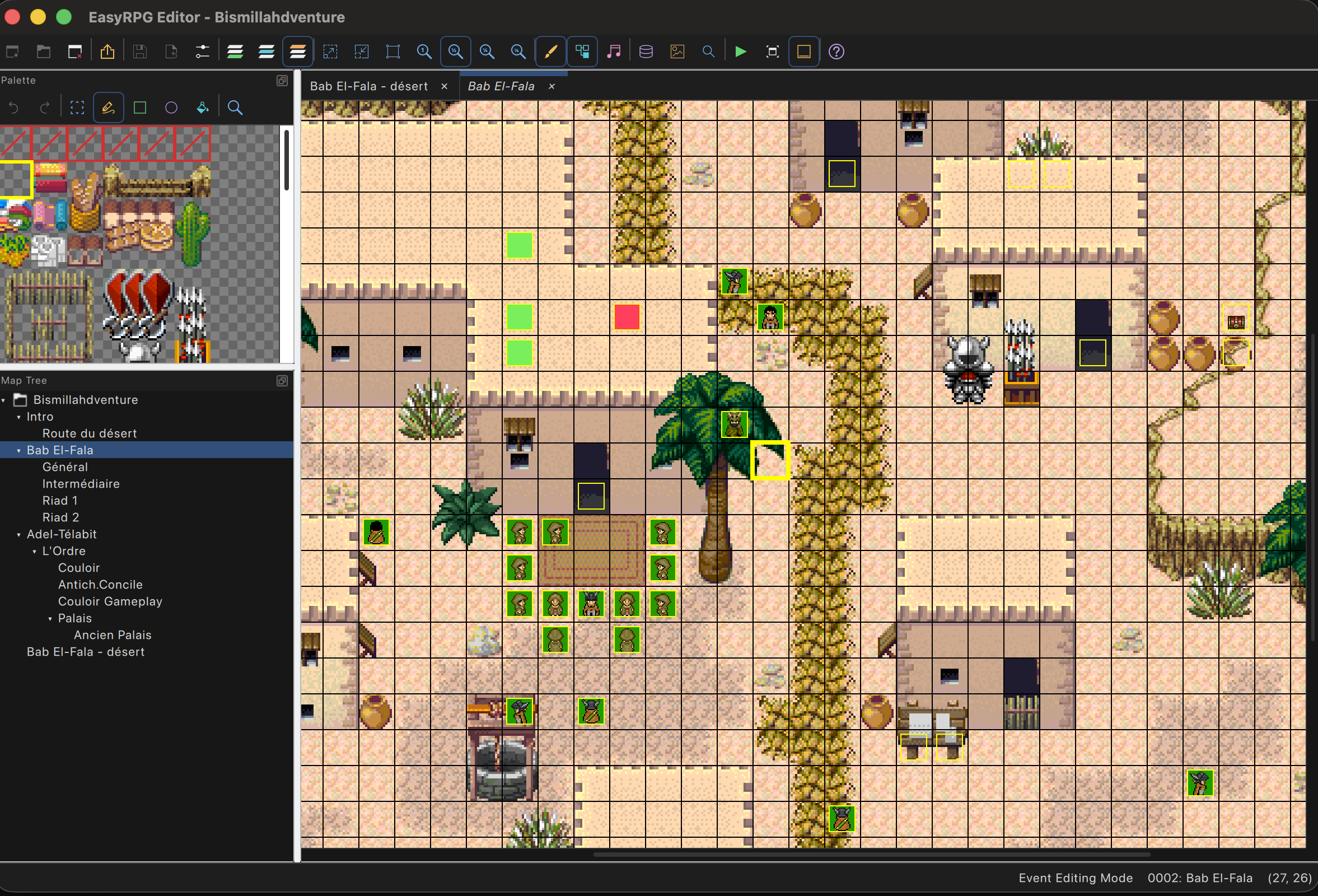
A modern editor for RPG Maker 2000 and 2003 games. It runs on macOS, Windows and Linux, and it’s open source. Huge shoutout to the EasyRPG community and Ghabry.
Download the latest version Source code on GitHub
Why I made it
RPG Maker 2003 is an old program from the 2000s for making 2D role-playing games, and there are tons of old, unfinished game projects made with it. I needed to edit RPG Maker 2003 games on my Mac, and I couldn’t find anything that simply worked. The EasyRPG Editor was a great project, but still very incomplete: maps worked, but most of the event commands and the database couldn’t be edited yet.
So I made my own version of it and implemented the missing features. It reads and writes the same game files as RPG Maker 2000 and 2003, and it keeps RPG Maker’s habits, like the double right-click to switch layers. On top of that, it fixes many of the small annoyances RPG Maker users have lived with for years.
Works with rpgsync
rpgsync turns your game’s events into Python scripts and keeps them in sync with the game. Edit the Python code, and the changes show up live in the editor, which stays open and merges them with yours.
Made with the community
Huge thank you to the Oniromancie and E-magination community that helped me develop these tools: Medoc-, PM, Mimigris, Mack, jetrotal, FwT, trotter, AlexRE, Relm…
Built on EasyRPG
It all relies on liblcf, the amazing open source library by the EasyRPG team that reads and writes RPG Maker game files, and on EasyRPG Player to play the games.
What it does better than RPG Maker 2003
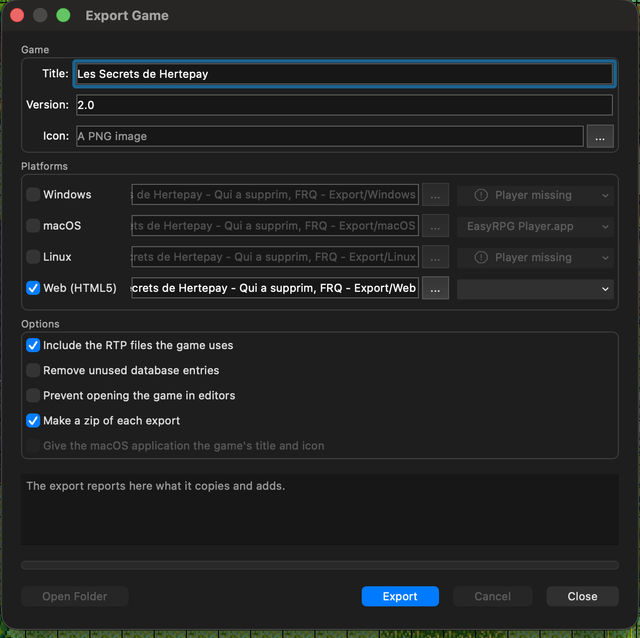
Publish your game on the web
Export your game for Windows, macOS, Linux and the web, with EasyRPG Player and the RTP files it uses. Each export is a .zip that’s easy to upload to itch.io, so people can play your game in their browser, even on their phone.
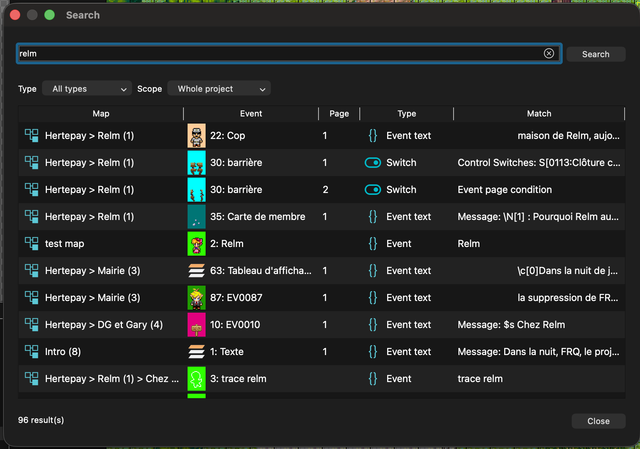
Search everywhere
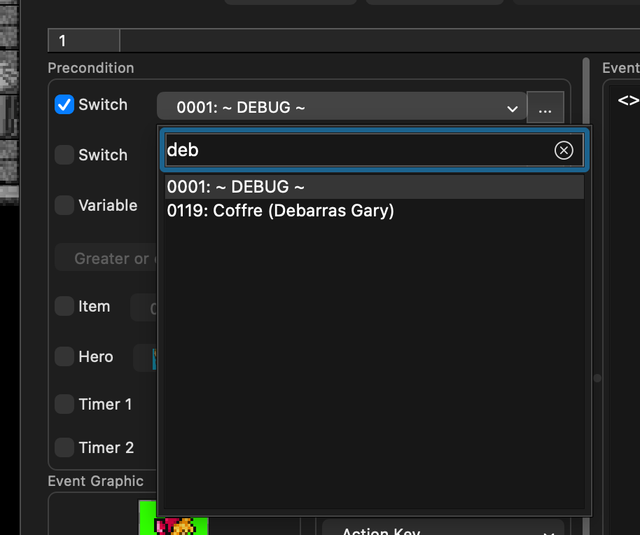
Find everywhere a switch, a variable or a piece of text is used across the project. And every list is searchable: type a few letters to find a switch, a variable, an item or an event by its number or its name. Good naming conventions finally pay off.
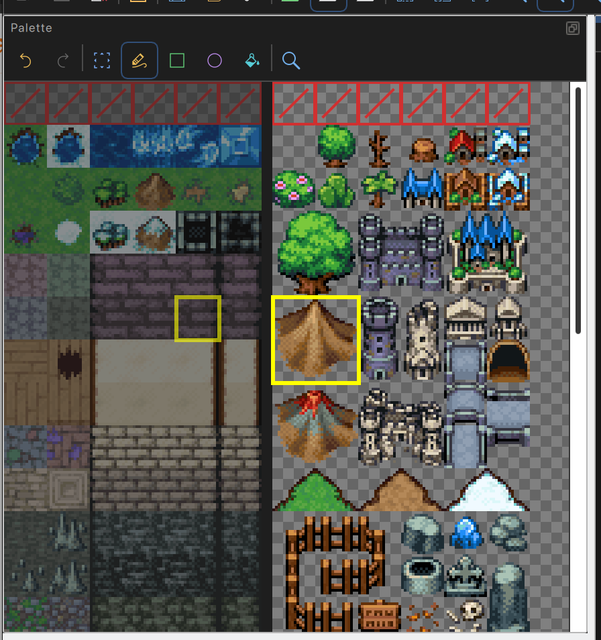
Both layers side by side
Widen the palette and the lower and upper tiles show next to each other. Picking a tile switches to its layer.
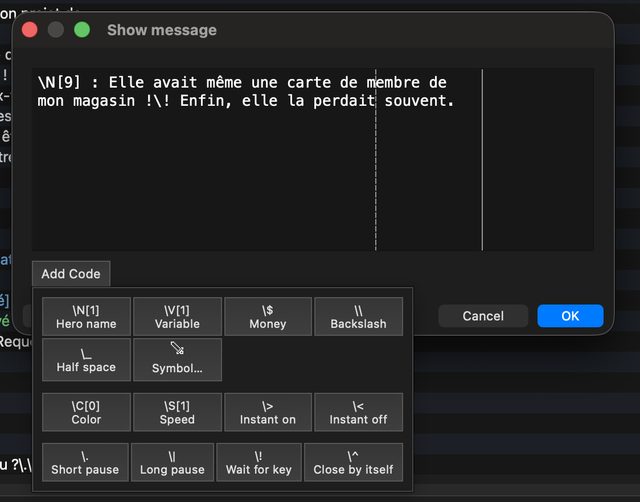
Messages without the 4-line limit
Write as much text as you want: a long text is split into several message boxes for you. Every message code and special symbol is one click away: hero names, variables, colors, pauses…
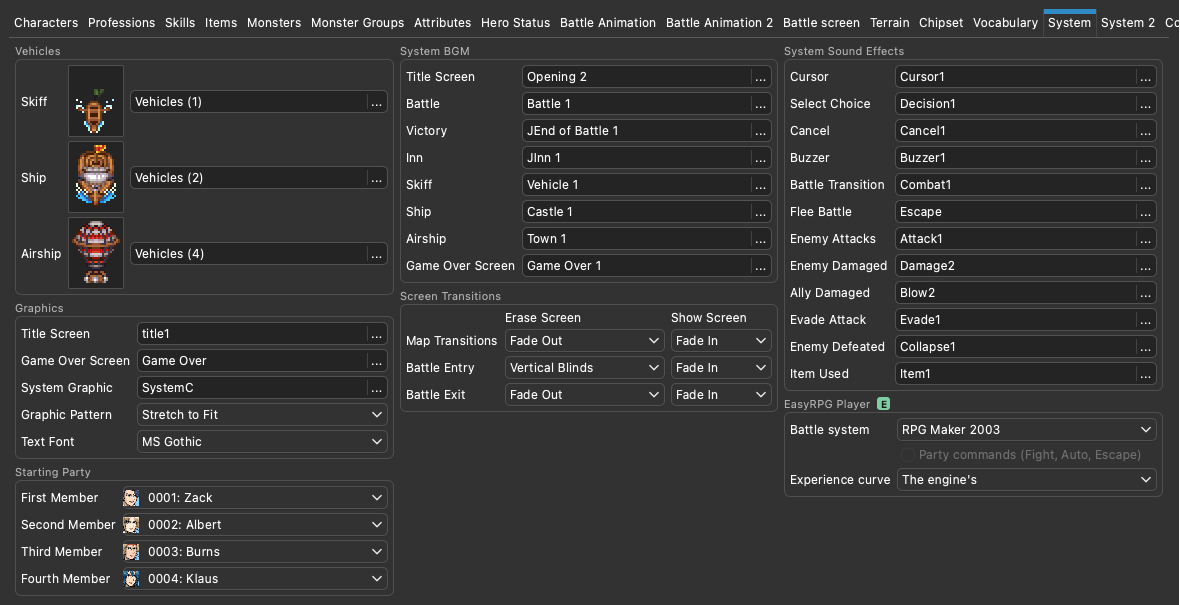
Maniac Patch and EasyRPG Player custom commands support
RPG Maker has tons of mods and patches, like the Maniac Patch, DynRPG or the EasyRPG Player commands, and they were super confusing to use. Now the editor has advanced support for all these configurations and patches.
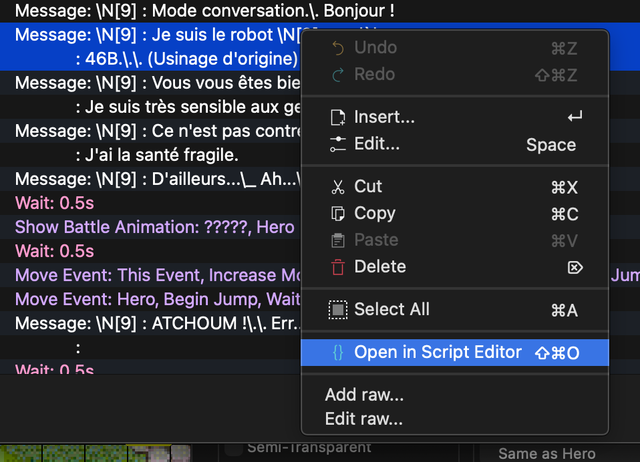
Raw editing and Python scripts
Edit any command’s raw values, or open an event as Python code in your code editor with rpgsync.
Updates itself
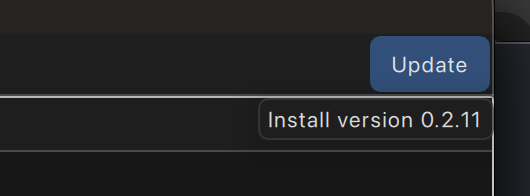
An Update button shows up when a new version is out.
And all the other perks
- Test play with EasyRPG Player, from the start or from any spot of the map, with its options (window size…). The editor finds the Player or downloads it.
- Animated tiles and panoramas in the map, as in the game, instead of a flat transparent color.
- More zoom levels, and Ctrl + mouse wheel to zoom.
- Panels you can move anywhere: the palette and the map tree can be docked, resized or floated. The map tree can finally be wide enough to show full map names, and it has a search field.
- Map tabs to keep several maps open; right-click a tab to close the others.
- Event commands colored by type, so long events are easier to read.
- Go to a map by its ID, and Ctrl+F opens the search right away.
- Turning a game into a Maniac Patch game is explained step by step.
- Jukebox and Resource Manager to listen to the game’s music and sounds, with lists you can sort by name, format or source.
- MIDI music as players will hear it, with the game’s soundfont.
- Light and dark themes, in English or French.
- Several RTP folders, with one for RPG Maker 2000 games and one for RPG Maker 2003 games.
- Two editors side by side: open two games at once, for example a remake and its original.
- Windows remember their size and their position.
Try it
Download the latest version for macOS, Windows or Linux: github.com/oulianov/Editor/releases/latest
Tell me if it works for you and how to improve it on GitHub!